Structured, hands-on Blazor training

Blazor Jumpstart for .NET Developers

Stop staring at a blank screen. Learn a repeatable way to turn rough requirements into working Blazor features you can actually maintain.

Build real Blazor features, without getting lost

Go from vague requirement to working UI with a process you can repeat

A tutorial shows you the happy path. A real feature rarely arrives that neatly.

Instead you get a rough requirement, an existing app, and a blank screen waiting for you to decide where everything should go.

Do you start with a page or a component? Where should the state live? Should this use static SSR, Interactive Server, WebAssembly, or Auto? How do you stop the first version becoming the version everyone is afraid to touch?

That's the gap Blazor Jumpstart is designed to close.

You don't need to memorise every corner of the framework. You need a practical way to make progress when the feature is still messy, unclear, and unfinished.

You need to get good at shipping working features.

Once you can take a requirement, break it down, build the first version, then shape it into clean components, you become the developer people trust with the work that matters.

A way through the messy middle

The cursor blinks. The requirement sounds simple. Then you notice the decisions hiding underneath it.

Blazor Jumpstart gives you a way through: build the smallest useful version, shorten the feedback loop, then extract the components and interactions that make the feature easier to change next time.

That is the difference between knowing Blazor syntax and feeling confident when someone asks, "Can you build this?"

Move beyond tutorials and start shipping

Watching someone else build a feature can feel productive. Then you open your own project, look at an empty page, and the questions start piling up.

Where should the state live? Which render mode should this use? Is this one component, three components, or a mess waiting to happen?

Blazor Jumpstart gives you a practical sequence you can follow when the next feature lands on your desk:

  • Sketch the UI and spot the components hiding in the requirement.
  • Get a first version working quickly, then improve it with short feedback loops.
  • Choose the render mode that fits the job instead of guessing.
  • Move data and events through your components without tying them in knots.
  • Finish with UI that is easier to change the next time the requirement shifts.
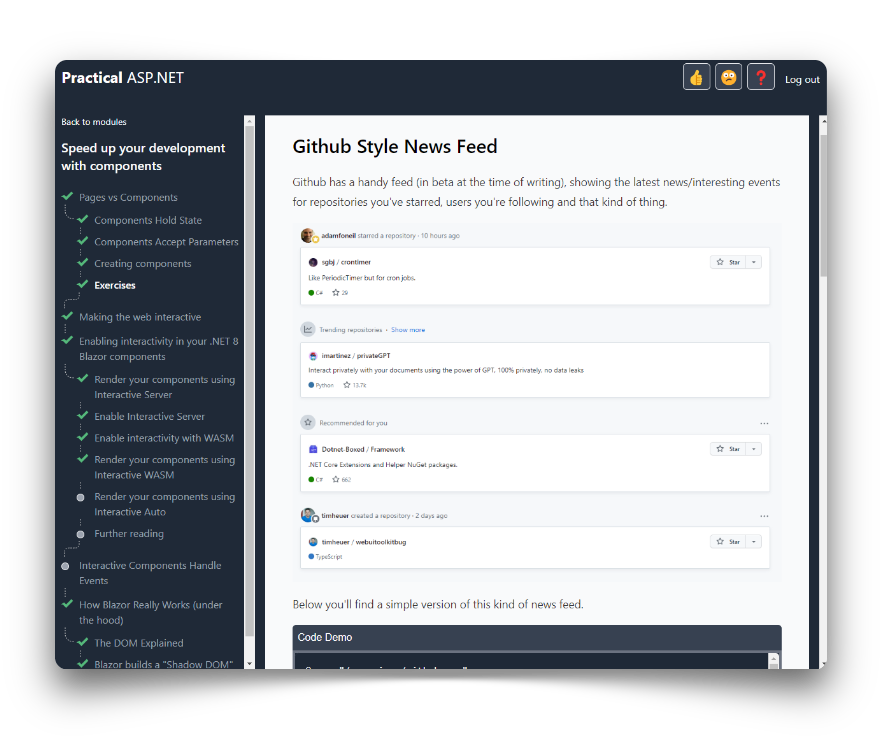
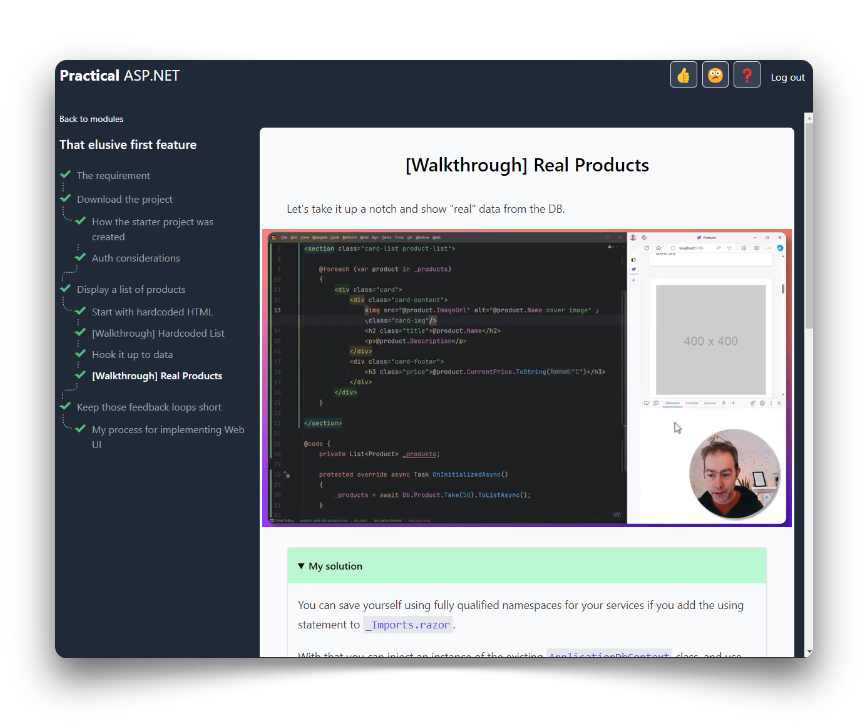
Blazor Jumpstart course screenshot Blazor Jumpstart course screenshot

Components? What components?

Blazor brings a powerful component model to .NET development. Done right, components help you get features up and running quickly.

But the moment you fire up Visual Studio, Blazor's flexibility can turn into decision paralysis.

You start with a simple screen. Then the questions arrive one by one:

  • What exactly is SSR, and does it need a SignalR connection?
  • Should you use static SSR or one of the interactive modes?
  • How do you capture user input if you're not using one of Blazor's interactive render modes?
  • Should you put everything in one component or break it down?
  • If you have multiple components, how do you make them talk to each other?

When you get Blazor and start thinking in components, you can build much more reliable, maintainable web applications, faster than before.

What you'll build

You start by shipping an online store end to end. Then you use that foundation to learn the component patterns that make future Blazor features faster to build, easier to change, and safer to maintain.

Part I - Build a small, real Blazor app in a few hours

You build the first version of an online store with Blazor and static server-side rendering. By the end, you won't just have watched a Blazor app being built. You'll have shipped the core flow yourself.

  1. 1 First feature: display products, connect them to data, and keep feedback loops short.
  2. 2 SSR in practice: use render modes, static SSR, stream rendering, and loading states in a real feature.
  3. 3 Store flow: add search, product details, shopping cart, checkout, and validation.

Part II - Learn to think in components

Once the store is working, you go deeper on the component model: how to split UI up, pass data around, handle events, and build richer interactive features without creating brittle code.

  1. 1 Component fundamentals: pages vs components, state, parameters, and events.
  2. 2 Interactive render modes: when to reach for Interactive Server, WebAssembly, or Auto.
  3. 3 Thinking in components: inputs, outputs, side effects, and spotting components worth extracting.
  4. 4 Component communication: data flowing down, event callbacks going up, sibling communication, and lifting state.
  5. 5 Reusable UI: render fragments, content slots, wrapping, extending, and designing components that keep features moving.
  6. 6 Hands-on project: build a Guess The Word game and round things out with component lifecycle guidance.

Bonus guides - payment and deployment recipes

The complete package adds two focused guides for the questions that come after the app works: how do customers pay, and how do you deploy it?

  • 1 Take payment online: Stripe setup, payment links, hosted checkout, embedded checkout, custom forms, and order fulfilment.
  • 2 Docker Deploy Quickstart: container images, Render, DigitalOcean, Azure Web App for Containers, scaling, logs, and metrics.

Get help when you need it

Building web applications is a challenging, lonely endeavour at times. It gets much easier when you can run your questions past other Blazor developers.

BlazorSharp is the free community where you can ask questions, share what you're building, and get support when you hit a tricky decision.

  • Ask for help when you get stuck.
  • Check your assumptions before you disappear down the wrong path.
  • Connect with other developers building Blazor apps.
Visit BlazorSharp

What people are saying about the course and community

Build the confidence to ship your next Blazor feature

Join developers who are moving beyond tutorials and learning how to build real, maintainable Blazor UI from rough requirements.

Loading pricing...

30-day guarantee

Hi, I'm Jon 👋

If you're reading this, I'll bet at some point in your career you've experienced that frustration of working in a web app, suspecting there's a better way, but not quite sure what it is.

I know because I've been there.

I've spent days knee-deep in legacy web apps wading through bloated pages, scouring HTML, JavaScript and backend code, desperately trying to figure out where to make my changes.

For me, that frustration led to Angular, then React, and other JavaScript frameworks. But although I learned to be productive with those frameworks, I never felt entirely comfortable in the JavaScript world.

So when Blazor arrived, it felt like coming home: modern web UI, but back in C# and .NET.

Since then I've gone on to teach hundreds of developers how to use Blazor to build better web applications, faster, and I can't wait to help you do the same.

Jon Hilton

Frequently Asked Questions

  • There are loads of other Blazor courses and tutorials, why should I try this one?

    There are some great courses, books, and tutorials out there, but have you ever found after you complete a tutorial, or watch a few videos, that you still don't actually know how to apply what you've learned to your own projects?

    There's a big difference between passively watching videos, following someone else's step-by-step instructions, and actually building something yourself.

    My focus with this course is to get you as much hands-on practice and experience as possible, so that you can confidently build your own Blazor apps.

  • What format is the course in?

    The course includes text explanations, source code examples, videos and interactive, self-paced exercises.

  • Can I download the course?

    Given the mixed content and interactive nature of the course it isn't possible to offer it as a download.

  • Does the course cover setting up Authentication/Authorization?

    The course does not cover the mechanics of setting up Authentication and Authorization.

    Rather, it teaches you how to rapidly build and evolve Web UI using Blazor's powerful component model and the various render modes now available.

  • How long will I have access to the course?

    Forever! Once you've enrolled and paid, you'll have access to the course material for as long as you need.

  • What if I'm unhappy with my purchase?

    Try it and find it's not for you? Just email me within 30 days to get a full refund, minus any non-refundable platform fees.

  • What if I have a question?

    You can ask questions in BlazorSharp, the free community for Blazor developers. There's also a built-in feedback mechanism in the course itself.

An unhandled error has occurred. Reload 🗙